top

[Guide]Cum faci server (L2J/ L2EMU)

 
Post new topic   Reply to topic    La2Zone.MyForum.ro Forum Index -> Cum faci server de Lineage2
Author Message
ExTaZy
Administrator
ExTaZy

Joined: 08 Nov 2008
Posts: 7
Location: Live For Nothing Die For Something

PostPosted: 08/11/2008 12:40    Post subject: [Guide]Cum faci server (L2J/ L2EMU) Reply with quote

● Download

Server packs
[url=http://forum.ragezone.com/f323/share-server-packs-repository-tools-329892/]Download[/url]

MySql
[url=http://dev.mysql.com/get/Downloads/MySQL-5.0/mysql-5.0.51b-win32.zip/from/pick#mirrors]Download[/url]

Navicat
[url=http://www.navicat.com/download/navicat8_mysql_en.exe]Download[/url]

Java
[url=http://www.java.com/en/download/index.jsp]Download[/url]


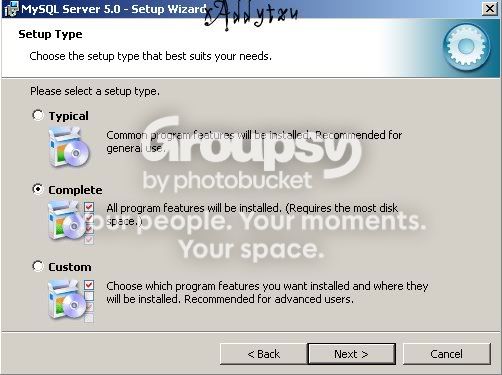
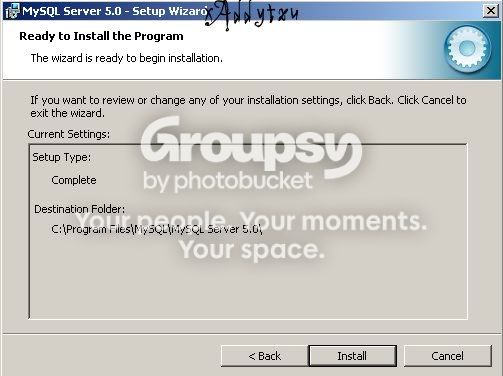
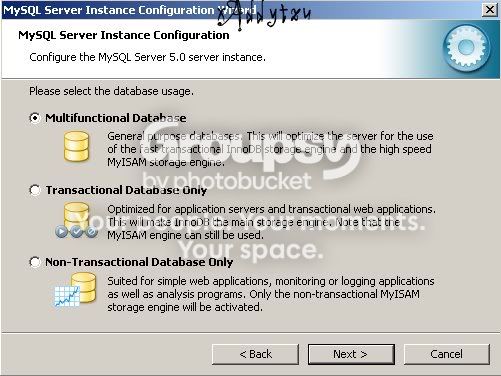
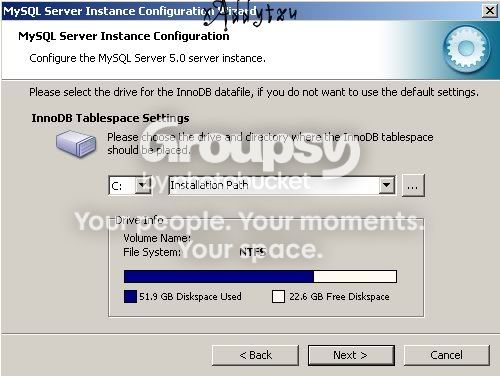
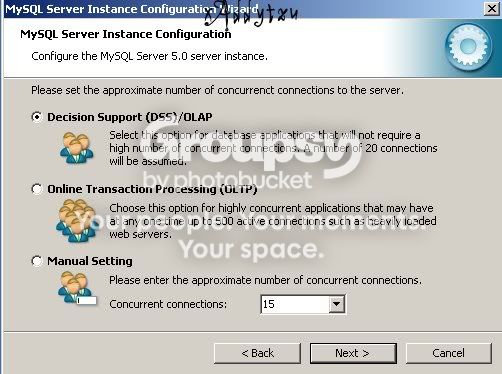
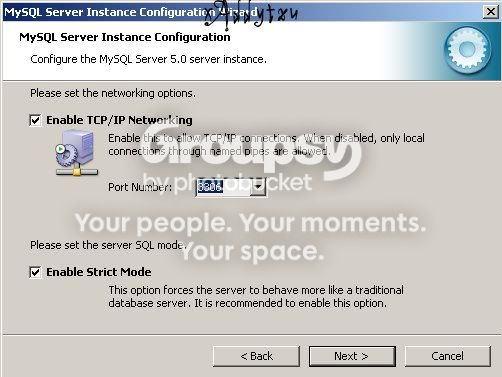
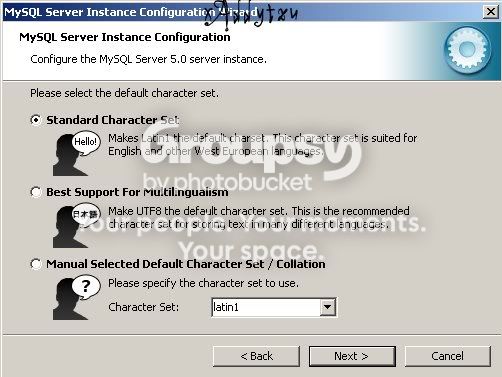
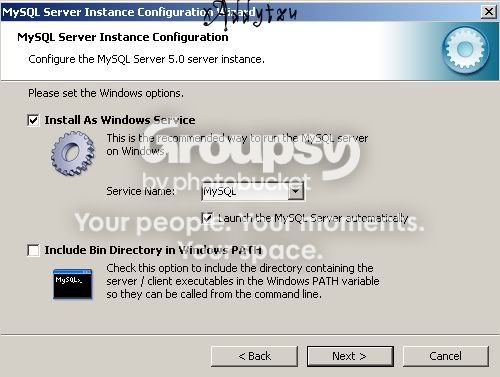
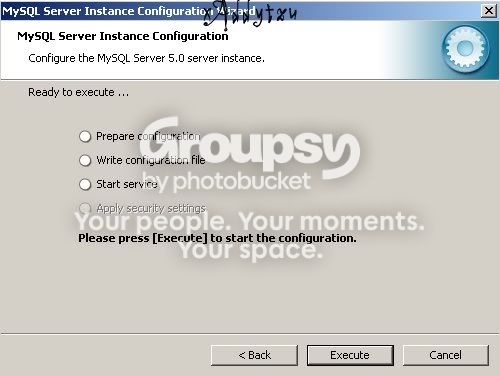
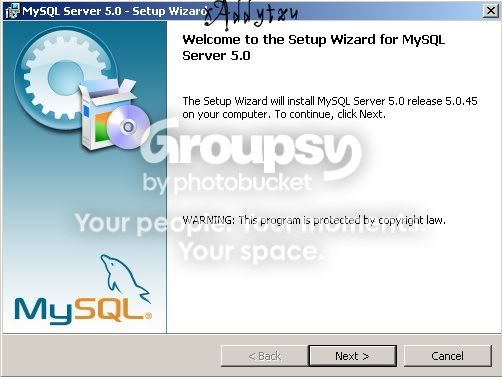
● Pasul 1 - Instalam MySql
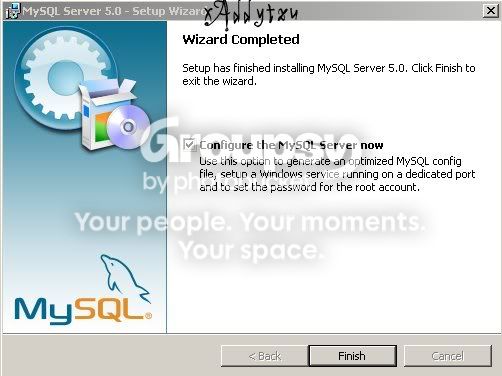
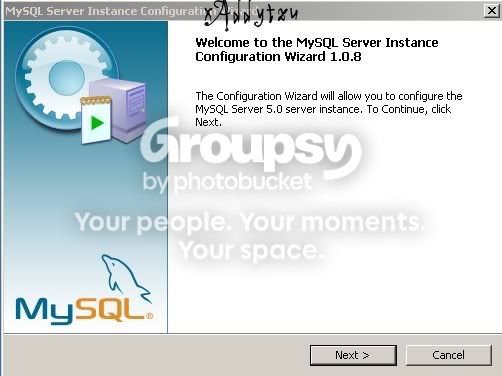
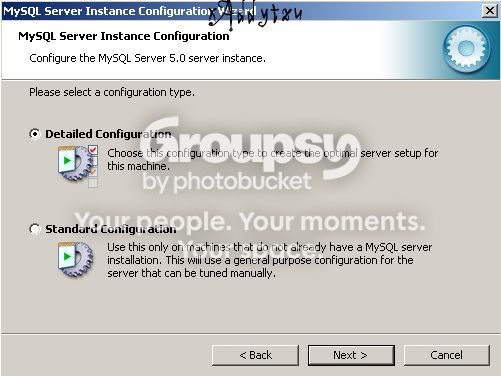
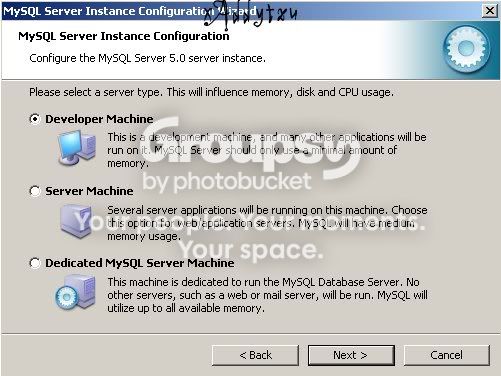
[Guide]Cum faci server (L2J/ L2EMU) [Guide]Cum faci server (L2J/ L2EMU)
[Guide]Cum faci server (L2J/ L2EMU) [Guide]Cum faci server (L2J/ L2EMU)
[Guide]Cum faci server (L2J/ L2EMU) [Guide]Cum faci server (L2J/ L2EMU)
[Guide]Cum faci server (L2J/ L2EMU) [Guide]Cum faci server (L2J/ L2EMU)
[Guide]Cum faci server (L2J/ L2EMU) [Guide]Cum faci server (L2J/ L2EMU)
[Guide]Cum faci server (L2J/ L2EMU) [Guide]Cum faci server (L2J/ L2EMU)
[Guide]Cum faci server (L2J/ L2EMU) [Guide]Cum faci server (L2J/ L2EMU)
[Guide]Cum faci server (L2J/ L2EMU) [Guide]Cum faci server (L2J/ L2EMU)
[Guide]Cum faci server (L2J/ L2EMU) [Guide]Cum faci server (L2J/ L2EMU)
[Guide]Cum faci server (L2J/ L2EMU) [Guide]Cum faci server (L2J/ L2EMU)
[Guide]Cum faci server (L2J/ L2EMU) [Guide]Cum faci server (L2J/ L2EMU)
[Guide]Cum faci server (L2J/ L2EMU) [Guide]Cum faci server (L2J/ L2EMU)
[Guide]Cum faci server (L2J/ L2EMU) [Guide]Cum faci server (L2J/ L2EMU)
[Guide]Cum faci server (L2J/ L2EMU) [Guide]Cum faci server (L2J/ L2EMU)
[Guide]Cum faci server (L2J/ L2EMU) [Guide]Cum faci server (L2J/ L2EMU)

Nu punem password
[Guide]Cum faci server (L2J/ L2EMU) [Guide]Cum faci server (L2J/ L2EMU)
[Guide]Cum faci server (L2J/ L2EMU) [Guide]Cum faci server (L2J/ L2EMU)


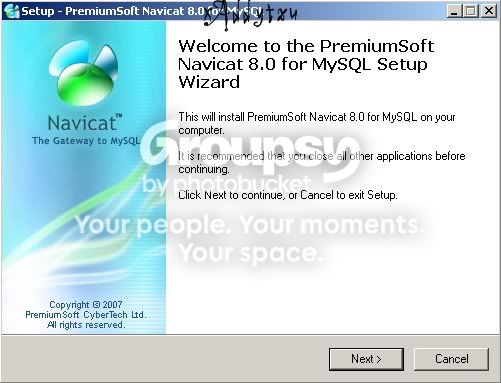
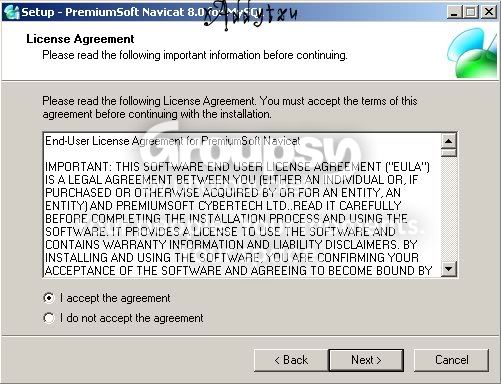
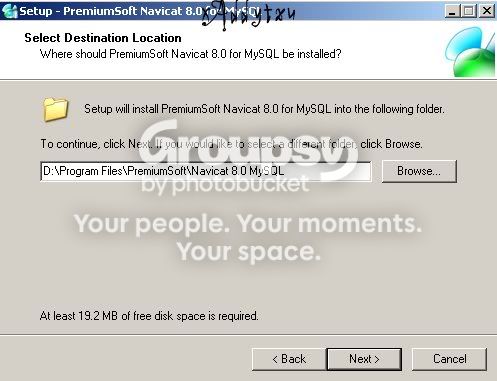
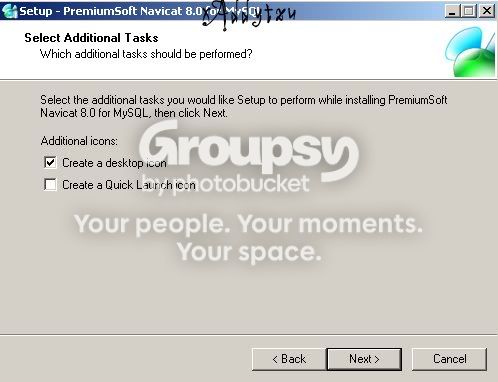
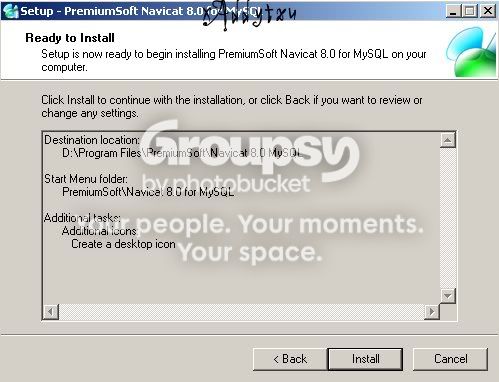
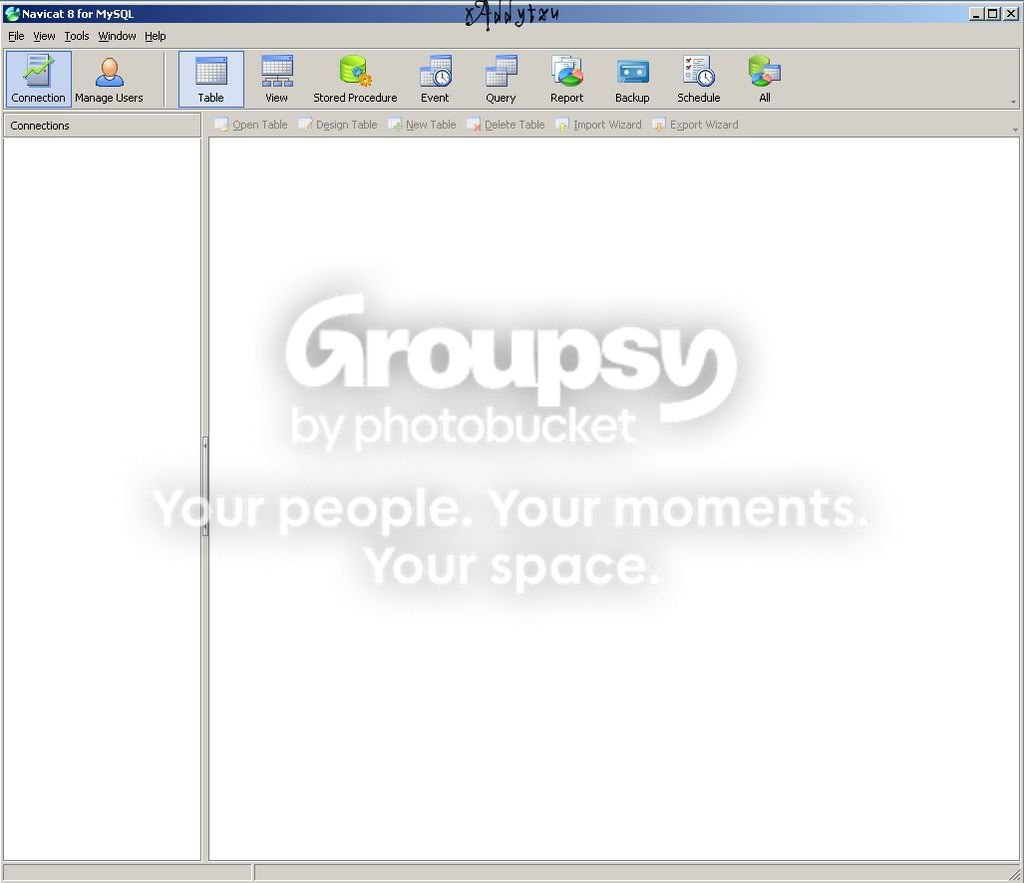
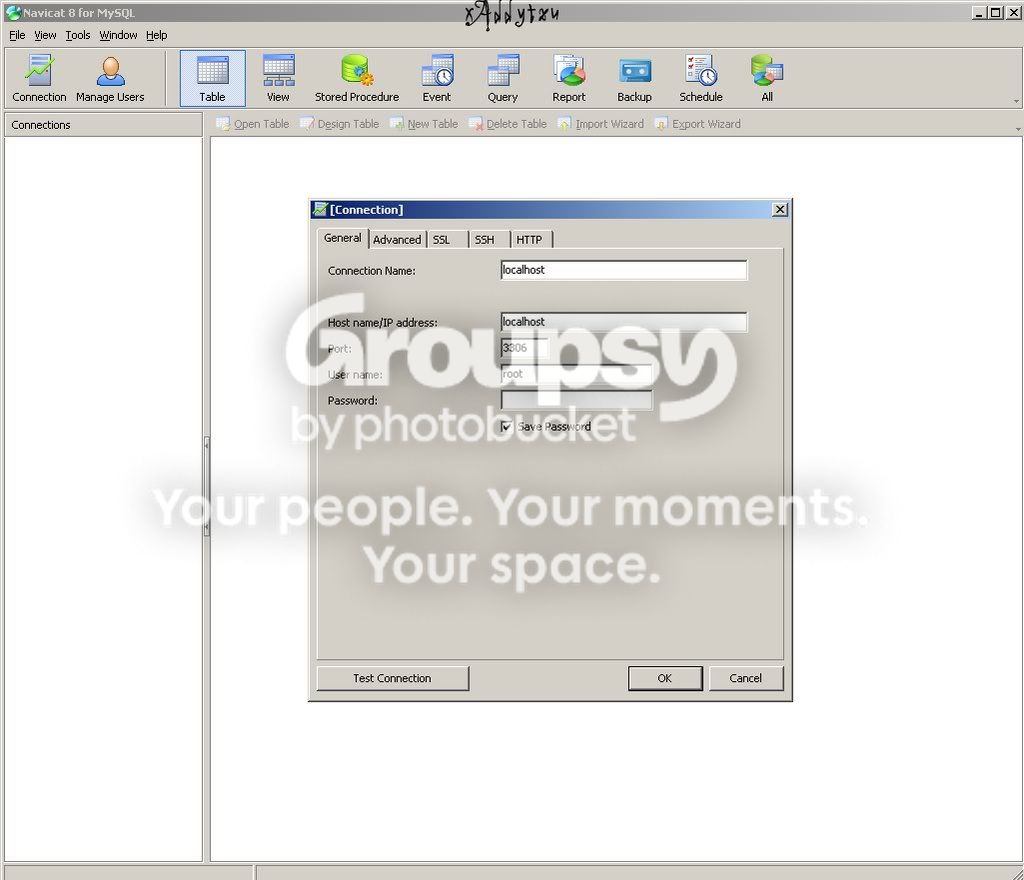
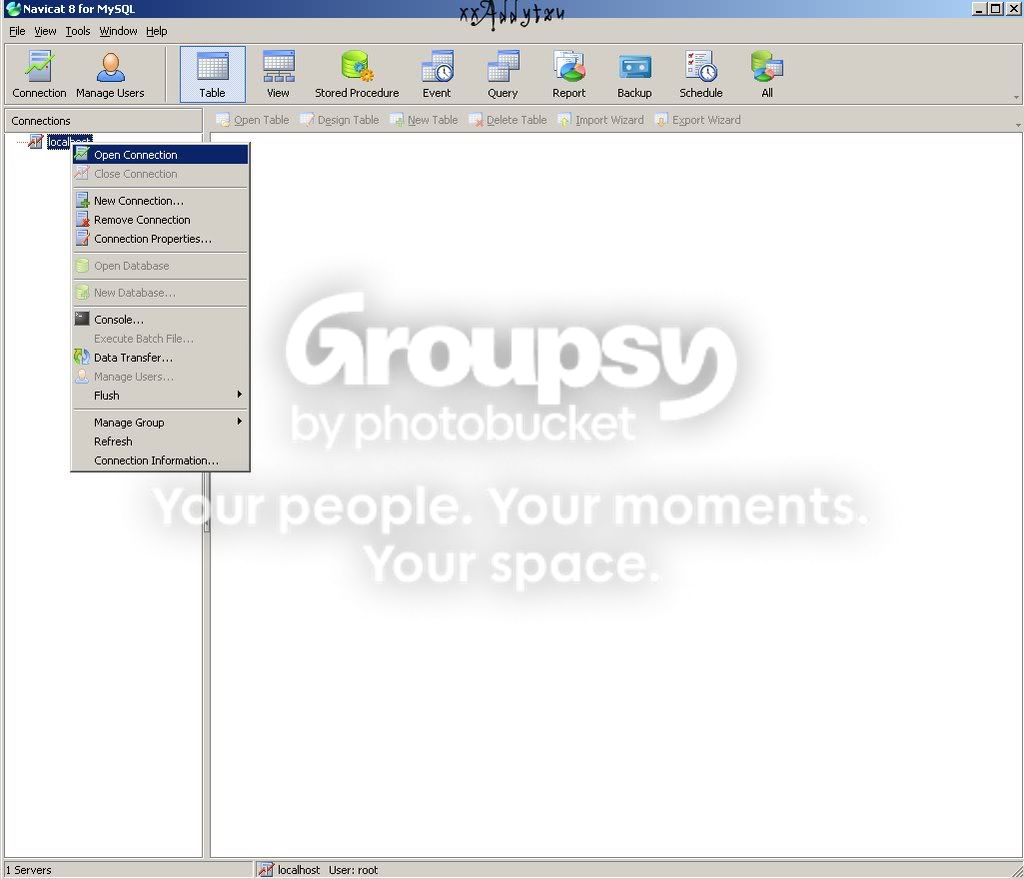
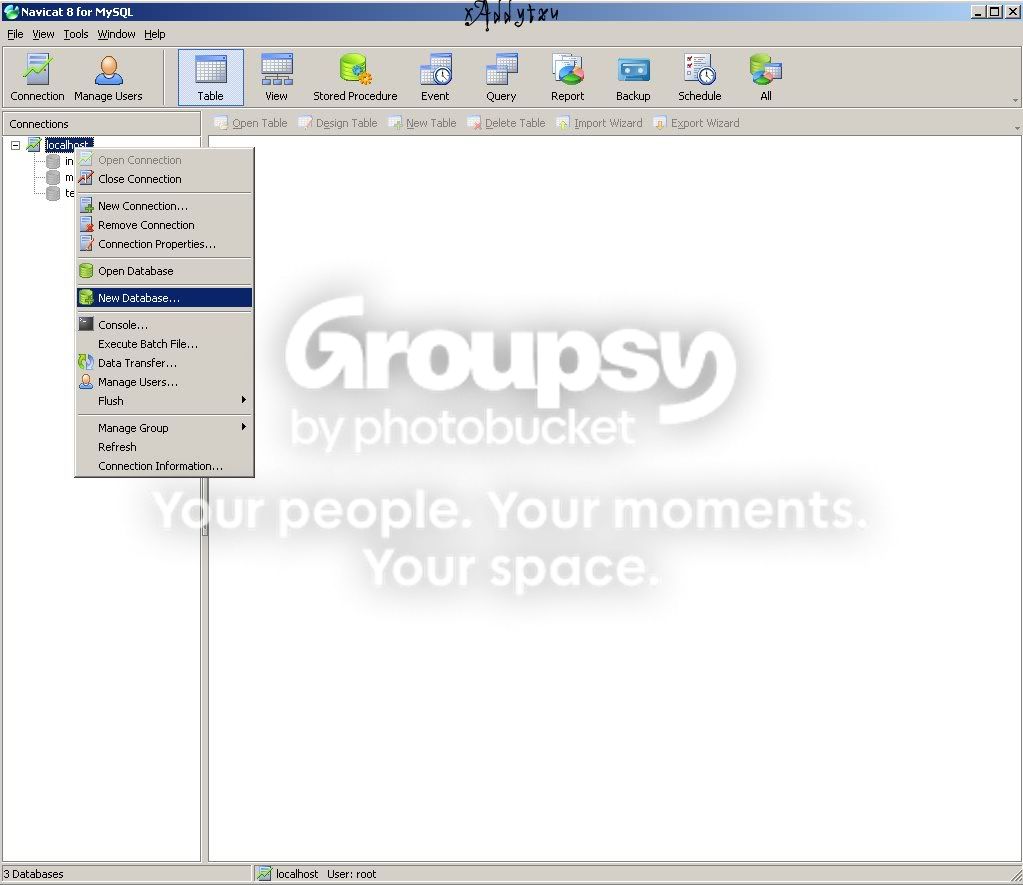
● Pasul 2 - Instalam Navicat

[Guide]Cum faci server (L2J/ L2EMU) [Guide]Cum faci server (L2J/ L2EMU)
[Guide]Cum faci server (L2J/ L2EMU) [Guide]Cum faci server (L2J/ L2EMU)
[Guide]Cum faci server (L2J/ L2EMU) [Guide]Cum faci server (L2J/ L2EMU)
[Guide]Cum faci server (L2J/ L2EMU) [Guide]Cum faci server (L2J/ L2EMU)
[Guide]Cum faci server (L2J/ L2EMU) [Guide]Cum faci server (L2J/ L2EMU)
[Guide]Cum faci server (L2J/ L2EMU) [Guide]Cum faci server (L2J/ L2EMU)

Nu punem password
[Guide]Cum faci server (L2J/ L2EMU) [Guide]Cum faci server (L2J/ L2EMU)
[Guide]Cum faci server (L2J/ L2EMU) [Guide]Cum faci server (L2J/ L2EMU)
[Guide]Cum faci server (L2J/ L2EMU) [Guide]Cum faci server (L2J/ L2EMU)
[Guide]Cum faci server (L2J/ L2EMU) [Guide]Cum faci server (L2J/ L2EMU)


● Pasul 3 - Instalam Baza de date
+Pentru L2j
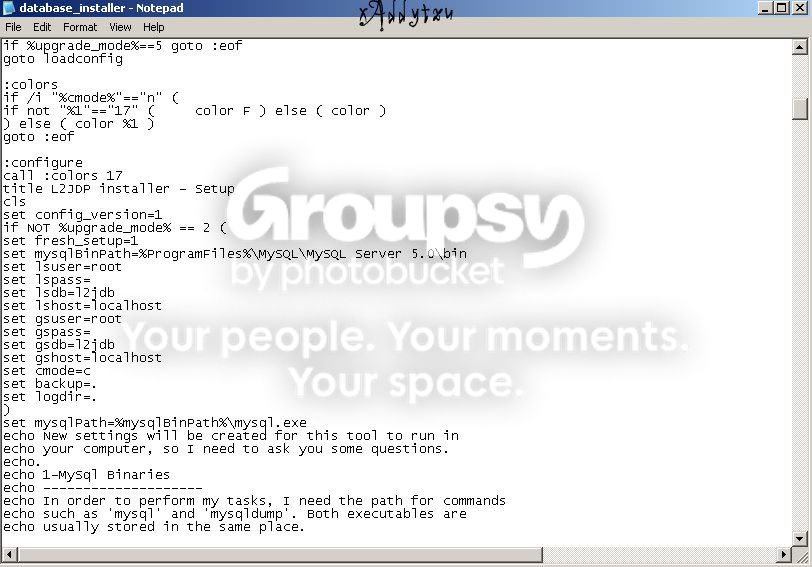
Server\tools\database_installer - Click dreapta - Edit
[Guide]Cum faci server (L2J/ L2EMU) [Guide]Cum faci server (L2J/ L2EMU)

set mysqlBinPath=%ProgramFiles%\MySQL\MySQL Server 5.0\bin - Aici modificam cu C:\ProgramFiles\MySQL\MySQL Server 5.0\bin
set lsuser=root
set lspass= Nu punem pass
set lsdb=l2jdb
set lshost=localhost
set gsuser=root
set gspass= Nu punem pass
set gsdb=l2jdb
set gshost=localhost

Deschidem database_installer - Dati Enter (Default) Iar dupaia o sa trebuiti sa dati F

+Pentru L2Emu
Server\tools\simple_installer - Click dreapta - Edit

Cautati linia:
set mysqlBinPath=
Si adaugati C:\Program Files\MySQL\MySQL Server 5.0\bin
Trebuie sa arate asa set mysqlBinPath=C:\Program Files\MySQL\MySQL Server 5.0\bin
Dupaia deschidem simple_installer si apasam F (pentru full instal)


● Pasul 4 - Configuram ip-ul serverului
+Pentru L2j
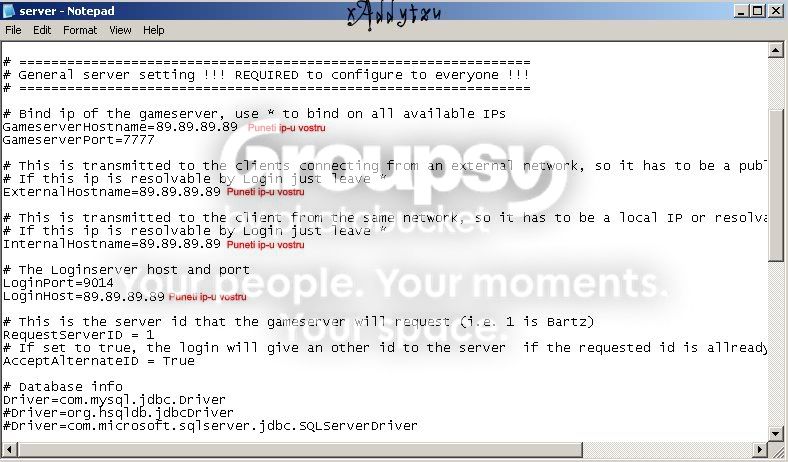
Server\gameserver\config - server
[Guide]Cum faci server (L2J/ L2EMU) [Guide]Cum faci server (L2J/ L2EMU)

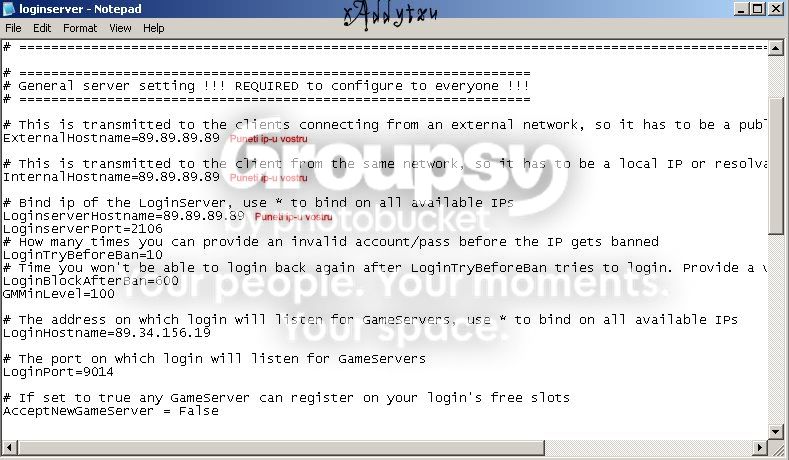
Server\loginserver\config - loginserver
[Guide]Cum faci server (L2J/ L2EMU) [Guide]Cum faci server (L2J/ L2EMU)

+Pentru L2Emu
Server\l2j-gameserver\dist\config\network\network
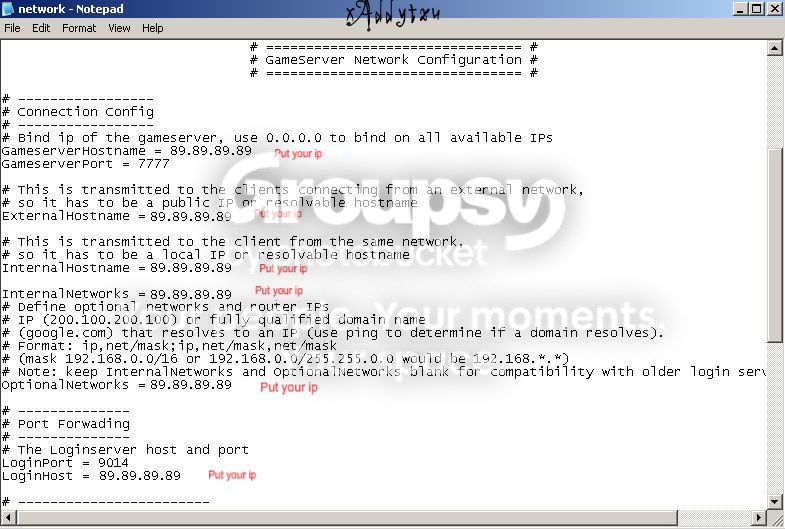
[Guide]Cum faci server (L2J/ L2EMU) [Guide]Cum faci server (L2J/ L2EMU)

Server\l2j-loginserver\dist\config\network\network
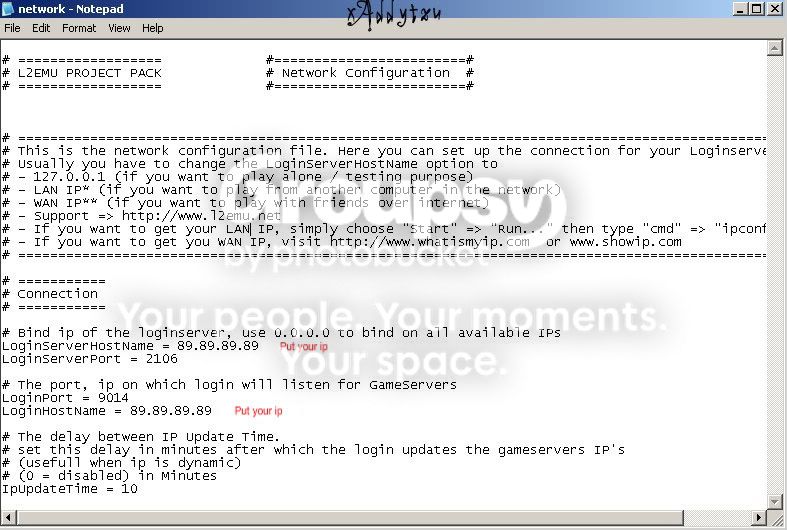
[Guide]Cum faci server (L2J/ L2EMU) [Guide]Cum faci server (L2J/ L2EMU)

● Mergem in loginserver si deschid RegisterGameserver.bat
- Apasam tasta 1
- Ne v-a aparea un fisier sub forma hexeid(server 1)
+Pentru L2Emu
- Il copiem in gameserver\config\network
+Pentru L2j
- Il copiem in gameserver\config

● Deschideti serverul din
+Pentru L2j
gameserver\startGameServer.bat
loginserver\startLoginServer.bat

+Pentru L2Emu
l2j-gameserver\dist\gameserver.bat
l2j-loginserver\dist\loginserver.bet

● Pentru celelalte configuratii la server
+Pentru L2j
Server\gameserver\config

+Pentru L2Emu
Server\l2j-gameserver\dist\config

Credits-->>Adyytzu
Back to top
View user's profile Send private message
tcapital
Junior
Junior


Joined: 24 Jul 2012
Posts: 5
Location: Great Britain

PostPosted: 31/08/2012 08:52    Post subject: Reply with quote

Information is impressive! But I will say so in my view is slightly different, but what I will not tell you)))
Back to top
View user's profile Send private message
tcapital
Junior
Junior


Joined: 24 Jul 2012
Posts: 5
Location: Great Britain

PostPosted: 01/09/2012 12:17    Post subject: Reply with quote

Information is impressive! But I will say so in my view is slightly different, but what I will not tell you)))
Back to top
View user's profile Send private message
tcapital
Junior
Junior


Joined: 24 Jul 2012
Posts: 5
Location: Great Britain

PostPosted: 05/09/2012 01:39    Post subject: Reply with quote

I found this post very useful!
Back to top
View user's profile Send private message
Display posts from previous:    View previous topic : View next topic  
Post new topic   Reply to topic    La2Zone.MyForum.ro Forum Index -> Cum faci server de Lineage2 All times are GMT + 2 Hours
Page 1 of 1

 
Jump to:  
You cannot post new topics in this forum
You cannot reply to topics in this forum
You cannot edit your posts in this forum
You cannot delete your posts in this forum
You cannot vote in polls in this forum

Fa-ti si tu propriul forum GRATUIT, pe www.myforum.ro